Moo Moo Mystery Code Redemption Guide
Where to paste promo codes in Moo Moo Mystery and how to fix common redemption errors.
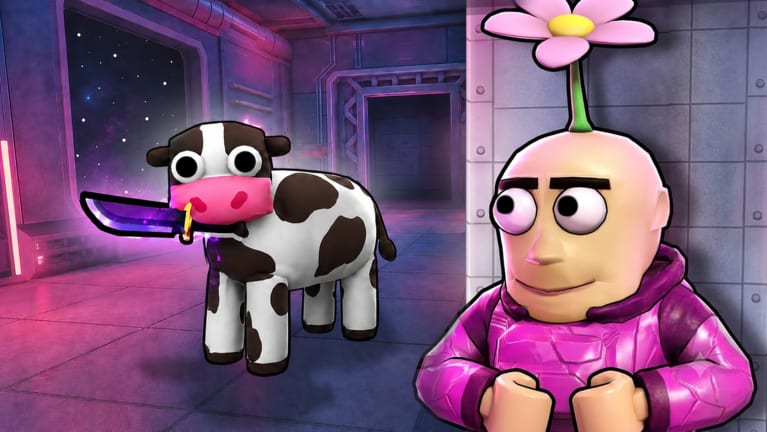
Promo codes in Moo Moo Mystery (Roblox Place ID 107833198839573) are redeemed inside the experience, not on the Roblox website. Because the game is in [Alpha], UI buttons can move between updates — this guide describes the usual flow Blοx Universe uses and where to look when Active codes lists a working string.
Before you redeem
Confirm three facts so you do not waste a limited code:
- Correct game — Launch Moo Moo Mystery by Blοx Universe, not Roblox Moo (Nendo Arts cow simulator).
- Verified code — Copy from Active codes or an official Blοx Universe post, not a generic list mixing MOO or SPOOKY Cloudberries codes.
- Fresh session — If a prior attempt failed, rejoin the experience once. Some Roblox games cache a bad state until reload.
Step-by-step redemption
When codes are live, follow this sequence:
Step 1: Enter the lobby
After joining, wait until you spawn in the lobby hub — the area with shop access, role preview, and round queue. You typically cannot redeem mid-round while roles are active on Coconut Research Facility or other maps.
Step 2: Open the shop or settings panel
Most Blοx Universe experiences place Codes near the Shop because rewards grant Cash, XP, or cosmetics. Look for:
- A Shop button on the main lobby UI (often side or bottom bar).
- A Codes, Promo, or Redeem tab inside the shop window.
- Alternatively, a gear / Settings icon with a secondary Redeem Code field on alpha builds.
If you only see cosmetics and gamepasses (VIP +10% Cash/XP, Starter Pack, 2x Cow Chance), scroll tabs — the redeem field is frequently on a separate Codes sub-tab.
Step 3: Paste the code exactly
- Copy the string from the official source.
- Paste into the text box — case-sensitive unless the announcement says otherwise.
- Remove accidental spaces before or after the string.
- Do not add quotes or hashtags.
Step 4: Submit and confirm
Press Redeem, Submit, or Claim. A success toast usually shows granted Cash, XP, or an item name. Check your balance in the shop header or profile panel.
If nothing happens, wait five seconds — Roblox UI lag is common — then try once more. Repeated spam clicking can soft-lock the button until rejoin.
Where the UI might hide after updates
Alpha patches relocate buttons. If the steps above fail, search these lobby zones:
| Location | What to look for |
|---|---|
| Shop → top tabs | Codes next to Featured or Gamepasses |
| Shop → bottom corner | Small Enter Code link easy to miss on mobile |
| Lobby NPC or kiosk | Some events use a physical redeem prop |
| Update news board | Patch notes sometimes embed a one-click redeem |
Mobile players: rotate to landscape if the redeem button clips off-screen. Roblox mobile shop panels truncate tabs more often than desktop.
Common errors and fixes
| Message / behavior | Likely cause | Fix |
|---|---|---|
| Invalid code | Typo, expired, or wrong game | Re-copy from Active codes; confirm not a Roblox Moo CB code |
| Already redeemed | One-time account limit | No fix — code consumed |
| Code expired | Time-limited promo ended | See Expired codes |
| Nothing happens | UI lag or mid-round | Return to lobby; rejoin server |
| Wrong currency | Code for different experience | Verify Place ID 107833198839573 |
Codes do not unlock roles early. Cow, Security, and Researcher assignments stay random each round unless you own 2x Cow Chance (gamepass odds only).
After redeeming successfully
Spend Cash on cosmetics in the same shop menu. XP levels your account passively and pairs with VIP’s +10% bonus if you own that gamepass.
Learn spending priorities in Getting started. Role improvement matters more than cosmetics — read Cow guide, Security guide, and Researcher guide before grinding style items.
Related pages
- Active codes — working strings only
- Expired codes — retired and debunked lists
- Codes hub — overview and verification policy
Frequently Asked Questions
Quick answers to the most common Moo Moo Mystery questions.
Can I redeem codes on the Roblox website?
No. Moo Moo Mystery codes must be entered inside the experience lobby, usually through the shop or settings panel.
Why is there no redeem button in my lobby?
Either no code campaign is active and the UI is hidden, or an update moved it. Check patch notes and search all shop tabs before assuming your client is broken.
Do codes work in private servers?
When Blοx Universe enables codes, they typically work in any server type unless the announcement says otherwise. Rejoin if the first attempt fails.
Will redemption ban me for typos?
Typos simply fail. You are not penalized for invalid attempts unless Roblox rate-limits spam clicks — redeem carefully once per code.